A pending order is an instruction to open a trade only when the market reaches a specific price that you set in advance.
The steps below apply to both MetaTrader 4 (MT4) and MetaTrader 5 (MT5), as the order placement process is very similar on both platforms.
Steps to place a pending order
Open the MetaTrader 4 or MetaTrader 5 platform.
Right-click on the chart of the instrument you wish to trade, or press New Order from the toolbar.
In the Order window, change Type from Market Execution to Pending Order.
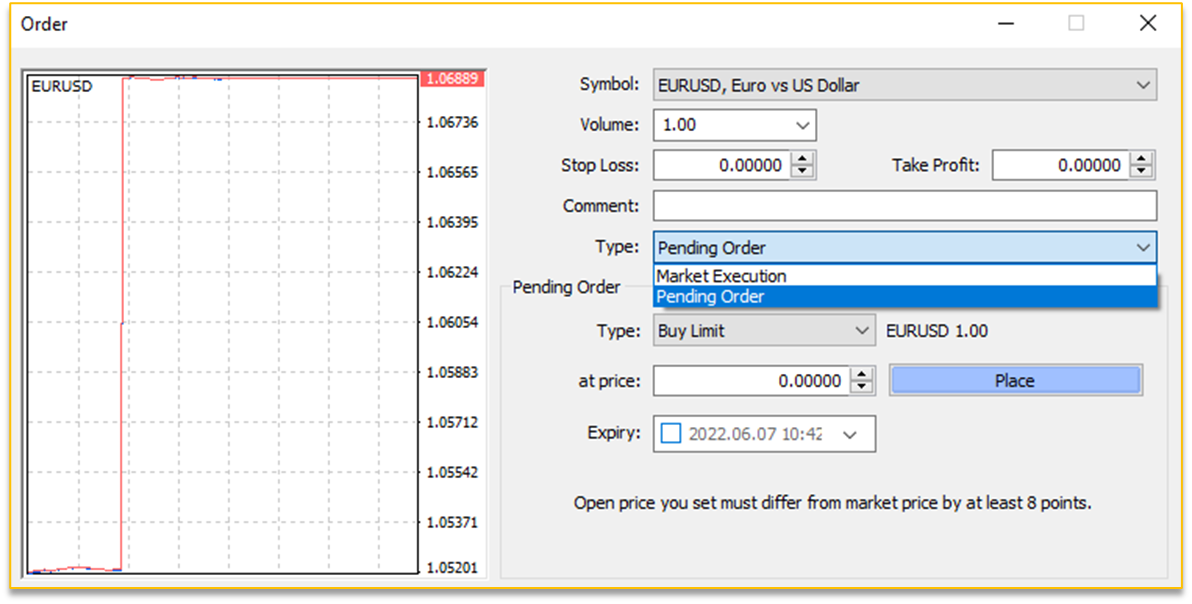
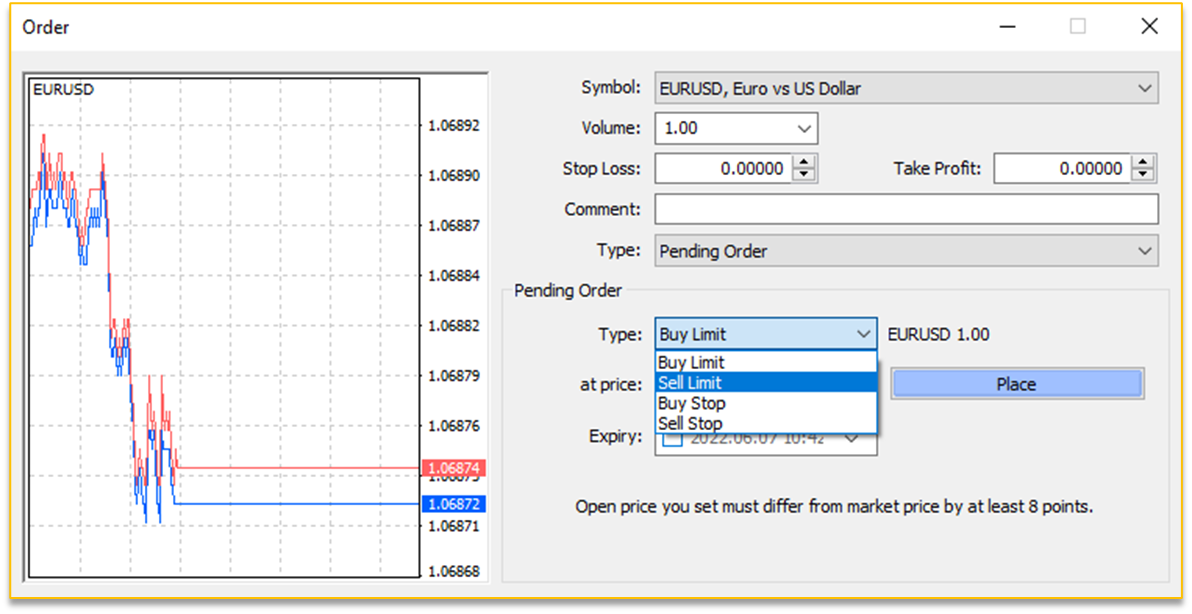
4. Choose the Pending Order type:
Buy Limit
Sell Limit
Buy Stop
Sell Stop
5. Enter:
Volume (lot size)
Price at which you want the order to be triggered
Optional Stop Loss and Take Profit levels
6. Click Place to submit the pending order.
Your pending order will appear on the chart and in the Terminal / Toolbox window until it is triggered or cancelled.
Important notes
Pending orders may not always be executed at the exact price during volatile market conditions.
This is known as slippage, where the order may be filled at a better or worse price.
Menu names and layout may vary slightly depending on your platform version, but the process remains the same on MT4 and MT5.