In MT4, the contract size shows how many units of the base asset are traded when you open 1 standard lot.
To find the contract size for any instrument:
Open the Market Watch window in MT4.
Right-click on the instrument you want to check.
Click Specification.
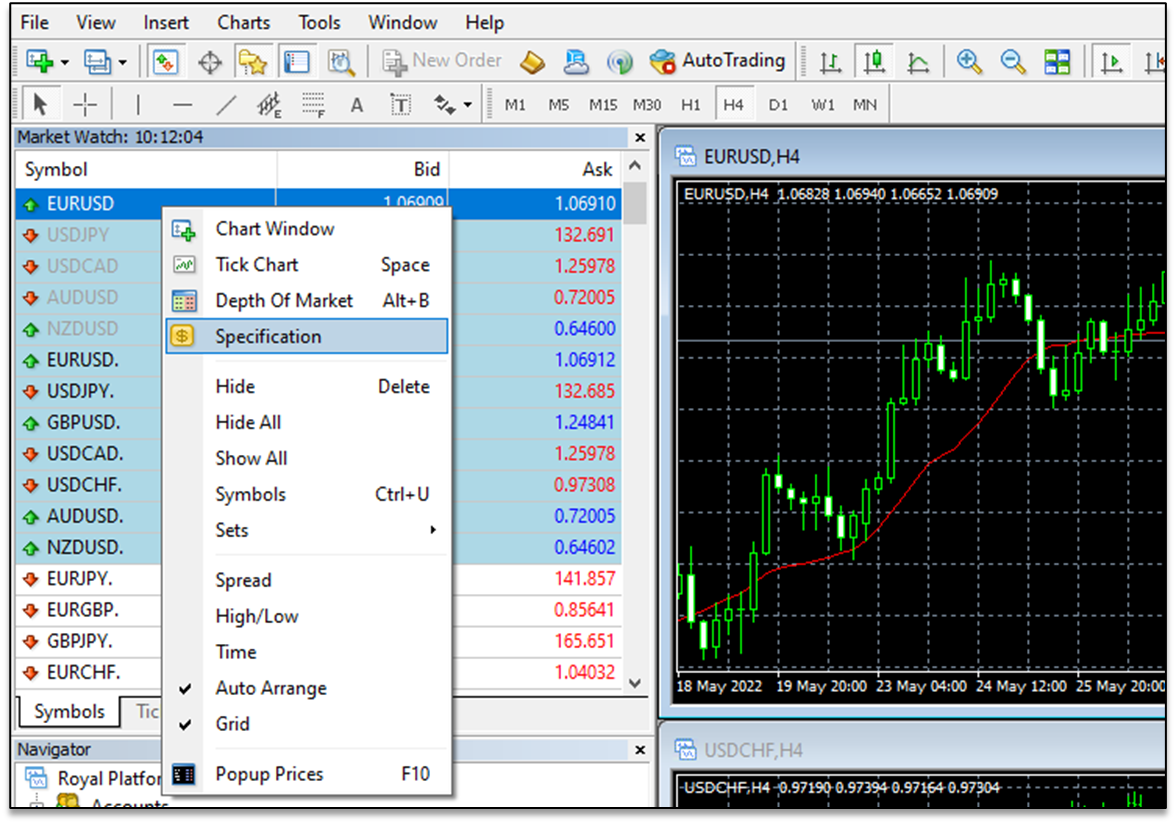
4. A new window will open displaying the instrument details.
5. Look for Contract Size.
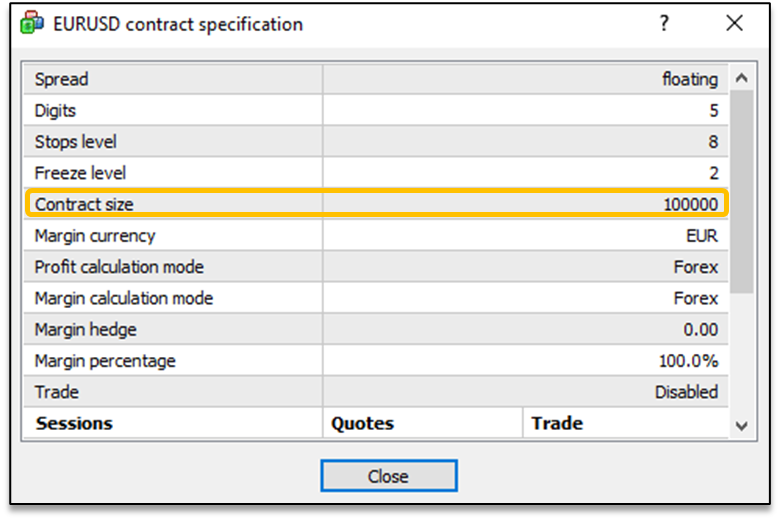
The Contract Size indicates how many units are included in 1 lot for that instrument.
Example:
For EUR/USD, a contract size of 100,000 means that 1 lot equals 100,000 EUR.
Note: Contract sizes may vary depending on the instrument (Forex, indices, commodities, or CFDs). Always check the Specification before trading.